

.png)
Does it bother you that your customers' feedback is all over the place? It's in your support tickets, hiding in your Slack channels, buried in survey responses, and casually dropped during sales calls. We know that the problem is not with collecting the feedback, but actually doing something with it. More reasons you need to take feedback management seriously. In this playbook, we'll walk you through how Product Managers, Customer Success teams, and Marketing can act on feedback without letting anything fall through the cracks.
Feedback management is the structured process of collecting, organizing, analyzing, and acting on what your customers tell you. Usually, a solid customer feedback management system helps you collect feedback from multiple touchpoints in the customer journey, organize and categorize what you're hearing, identify patterns that matter, turn insights into decisions, and close the loop by showing customers you actually listened.
Without a proper feedback management process, you end up with what we call "feedback chaos.” However, when you can analyze customer feedback effectively, you tend to build customer loyalty that translates directly into customer retention and reduced customer churn.
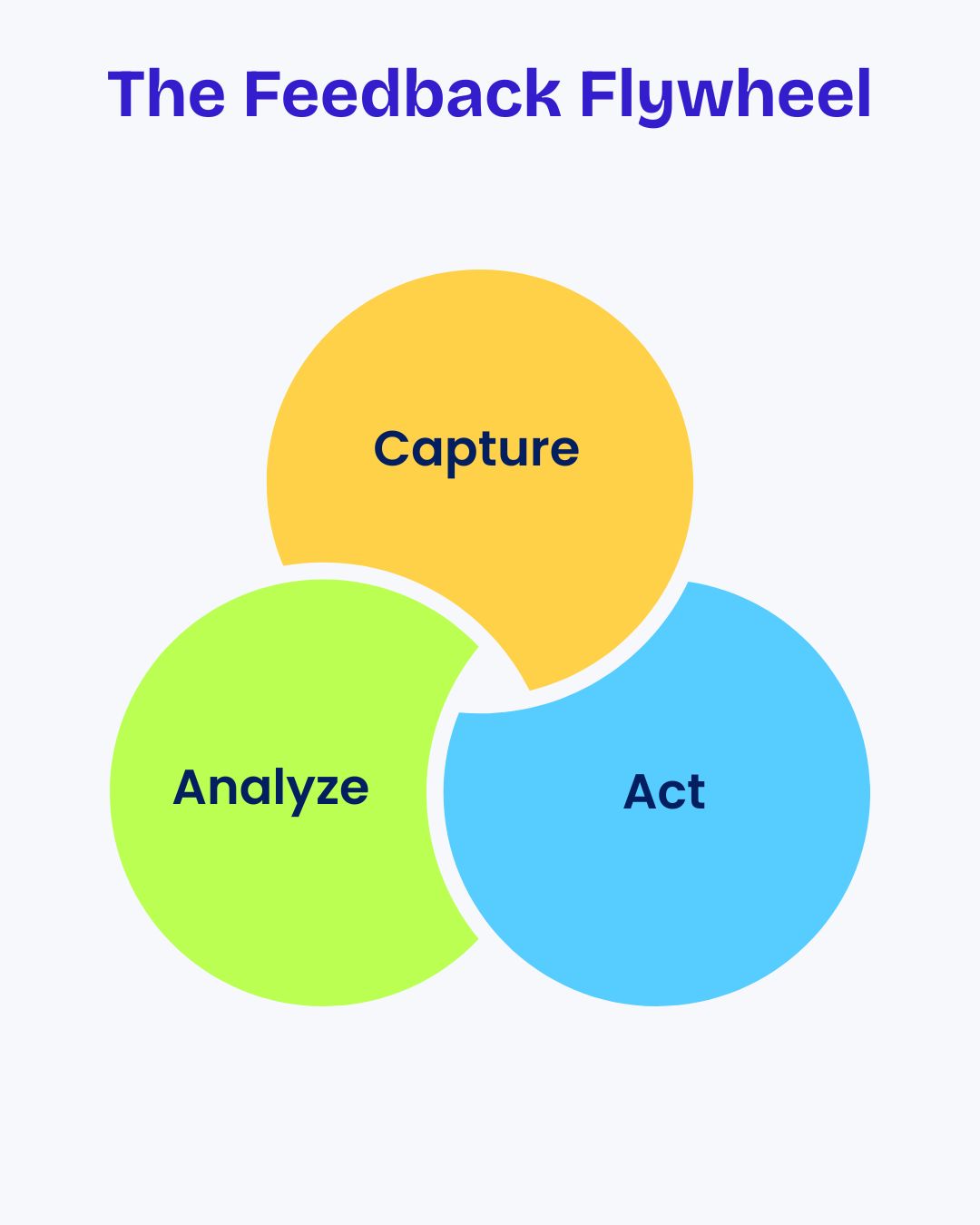
Effective customer feedback management is like a flywheel with three core stages. Each stage feeds into the next, creating momentum that improves your customer experience over time. They include:
This is where you collect customer feedback from everywhere it lives. We're talking about support conversations that reveal customer pain points, feedback forms, and surveys after key interactions, and sales calls where prospects share what they really need. Interestingly, the easier you make collecting customer feedback, the more feedback data you'll have to work with, and the better you'll understand customer needs across different stages of the customer journey.
At this stage, raw feedback data provides insights into customers. You're looking for patterns in what people are asking for, common frustrations across different customer segment groups, and themes that connect to your business goals.
It doesn't matter if you're using a dedicated customer feedback management tool or starting with spreadsheets; the goal is to analyze customer feedback without spending hours manually sorting through data. On the flip side, tools like Productlogz can help you organize feedback across different channels, though the process matters more than the specific feedback management software you choose.
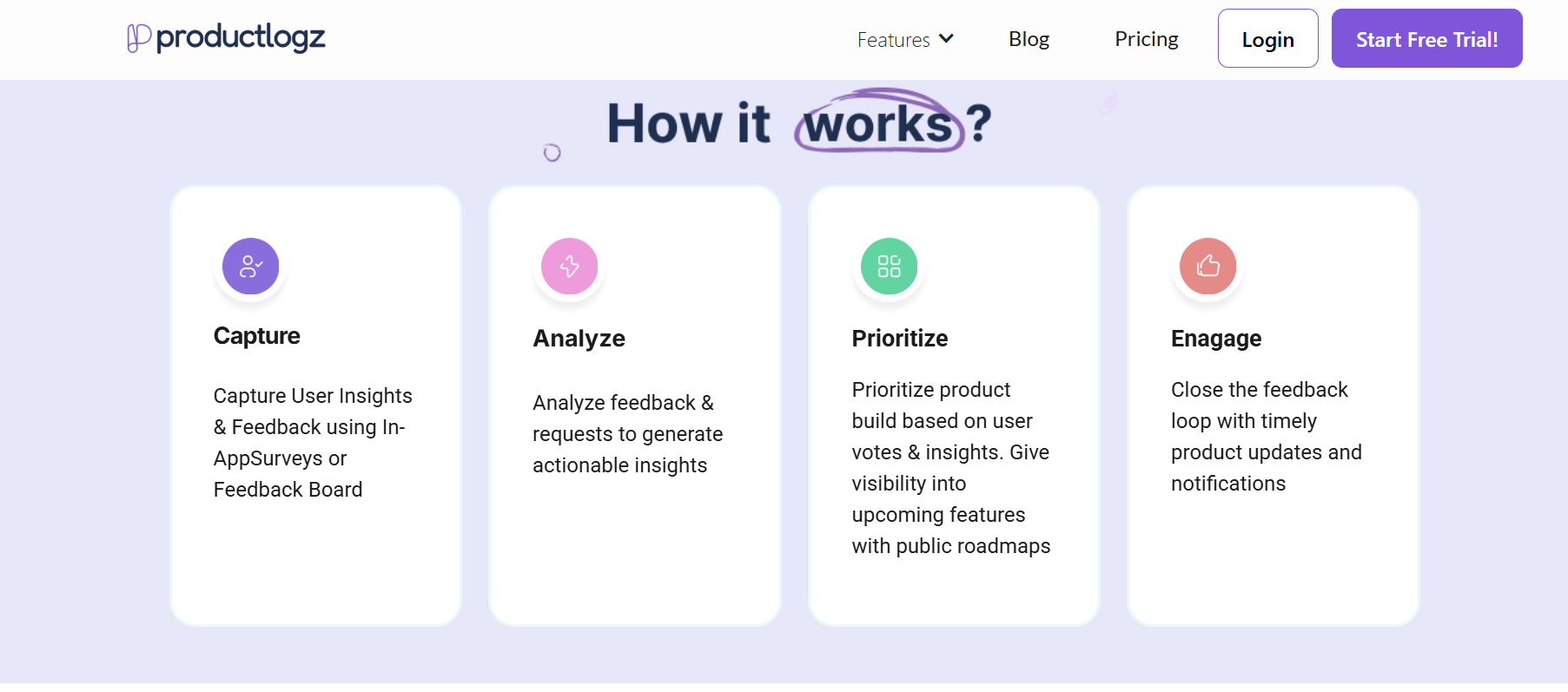
Acting on feedback means building features that customers actually asked for, fixing bugs that are genuinely frustrating people, and improving processes based on customer feedback. Most importantly, it means telling customers what you did. This helps you respond to customer feedback promptly.
This stage completes the customer feedback loop and shows customers that their voice matters. When you act on customer feedback and communicate it well, you improve customer satisfaction that lasts.
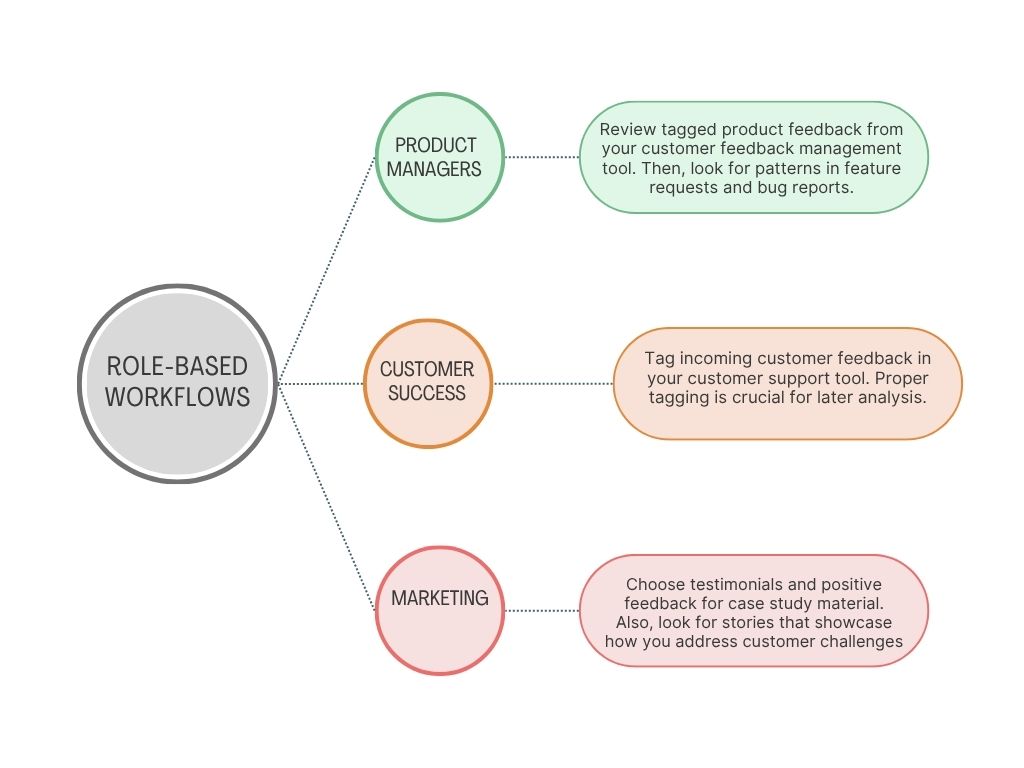
Feedback touches everyone in your company, but different teams need different things from it. Let's break down how each role should manage customer feedback.
PMs need to understand customer priorities to build the right things. Your workflow should look like this:
CS teams are on the front lines, hearing both the good and the bad. Owing to that, your workflow should follow this format:
Marketing uses feedback to attract the right customer and communicate value clearly. Your workflow has to look like this:
If you don't tag your feedback properly, you can't analyze feedback effectively. It's that simple. Here's a practical tagging framework that works across feedback channels:
Primary Categories:
Secondary Tags (Impact):
Product Area:
Customer Segment:
Sentiment:
However, if your tagging system is too complex, people won't use it consistently. Start with these basics and add more types of customer feedback tags as patterns emerge. Actually, most customer feedback management platforms and even basic survey tools support custom tagging. So, this works whether you're using specialized feedback management tools or just organizing feedback via spreadsheets.
You can't build everything customers ask for. You need a framework to decide what matters most. Here are two that actually work:
RICE helps you score feedback requests objectively. The acronym stands for:
Formula: (Reach × Impact × Confidence) / Effort = RICE Score
Example: A feature that reaches 500 customers, has high impact (2), 80% confidence, and takes 2 months of effort:
(500 × 2 × 0.80) / 2 = 400 RICE score
Sometimes you just need something visual. Here, you're required to plot feedback requests on a 2×2 grid:
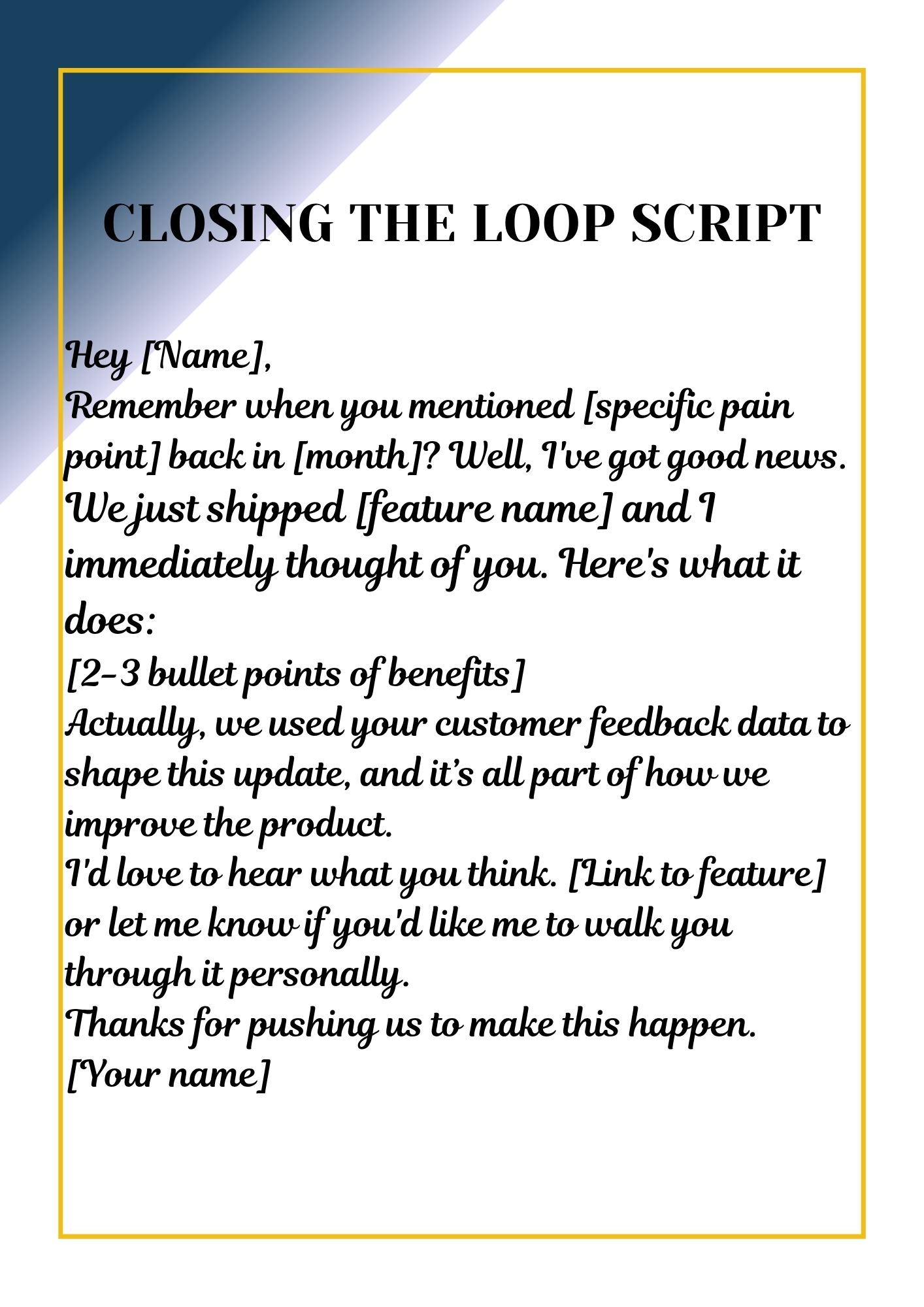
Most companies start off by collecting feedback from customers about their products, but those same customers who requested changes never find out what happened next. If you're finding it hard to integrate customer feedback into your communication process, here are some script templates to help you out:
Script 1: When You Ship What They Requested
Subject: We built what you asked for!
Hey [Name],
Remember when you mentioned [specific pain point] back in [month]? Well, I've got good news.
We just shipped [feature name] and I immediately thought of you. Here's what it does:
[2-3 bullet points of benefits]
Actually, we used your customer feedback data to shape this update, and it’s all part of how we improve the product.
I'd love to hear what you think. [Link to feature] or let me know if you'd like me to walk you through it personally.
Thanks for pushing us to make this happen.
[Your name]
Script 2: When You Can't Build It (Yet)
Subject: About your feature request…
Hey [Name],
I wanted to follow up on your suggestion for [feature]. I've been thinking about it a lot, and here's where we're at:
We're not able to build this right now because [honest reason: priorities, resources, technical constraints]. However, we're seeing similar requests from other customers, so it's definitely on our radar for [timeframe or "future consideration"].
In the meantime, here's a workaround that might help: [alternative solution]
I really appreciate you taking the time to share this with us. Every bit of feedback from customers like you helps us provide feedback to identify the most valuable opportunities and improve the overall customer experience. Can I keep you posted if this moves up on our roadmap?.
Script 3: For Batch Updates
You can use this for your monthly changelog or release notes:
These updates came directly from customers like you. Here's what we shipped this month based on your feedback:
[Feature A]: Requested by 47 customers who wanted to [benefit]
[Fix B]: Solves the [pain point] that [customer segment] was experiencing
[Improvement C]: Makes [workflow] 3x faster
Keep the suggestions coming, we're listening.

Changelogs aren't just for developers. It is a simple but effective part of your feedback system. First off, it connects feedback collection to visible action. This kind of transparency boost customer trust and shows that their input truly matters. So, what makes a good changelog?
To connect feedback, you can write this: "Based on requests from 50+ customers, we've added [feature]." From this write-up it shows you're listening and validates the customers who asked for it. A clear changelog like this feedback helps close the loop and enhance customer satisfaction.
Don't just say "Added export to CSV." Say "Export your reports to CSV so you can analyze customer data in your own spreadsheet tools." This approach turns product updates into meaningful customer insights that help teams increase customer engagement.
Different type of feedback often comes from different user segments, and a structured feedback tool makes it easier to manage that. Hence, use labels like Enterprise, Beta, or All Users so people know what applies to them.
Visual updates are one of the easiest ways to provide feedback and help users connect what they asked for to what’s new. In fact, screenshots or short videos help customers understand what changed and how to use it.
Don't hide your changelog. Link to it in your app, email it monthly, and share highlights on social media. When you regularly share updates through your feedback software, you reinforce that you’re committed to feedback to improve your product and best customer feedback management practices
Ready to implement everything we've covered? Here's your starter kit:
A spreadsheet with pre-built categories and tags you can customize for your product. Just copy it and adjust it to your needs. This helps you gather feedback in an organized way that aligns with your customer feedback management process.
If you’ve ever struggled to decide which feature to build next, this tool’s for you. Just plug in your numbers, and it automatically calculates your RICE score. It’s perfect for collecting and analyzing customer feedback without second-guessing what should come first.
You know those moments when customers share feedback and never hear back? Let’s fix that. You should have five email templates for shipped features, declined requests, workarounds, and more. They help you respond to feedback needs while improving your overall customer communication.
No more letting feedback pile up. This checklist helps your PMs and CS teams stay consistent each week. It also nudges you toward choosing the right feedback management tool and building a reliable enterprise feedback management habit.
Want a clear view of what customers are saying? This framework helps you set up a dashboard to track feedback volume, themes, and trends over time. Whether you’re using a feedback platform or starting from scratch, it’s a solid way to enhance customer experience and see exactly how feedback is collected and used to improve your product.
Look, managing feedback isn't glamorous work. It's not going to make headlines or win awards. But it's absolutely essential if you want to build products people actually want and create experiences that keep customers around. So, start where you are, use what you have, and build the habit of truly acting on feedback. That's how you transform the voice of the customer into your competitive advantage and create a complete customer experience that drives customer retention and customer success.
No sales calls. No long setup. Create your workspace and start collecting feedback today.
